
How Shared Inboxes are Replacing Traditional Business Phone Lines
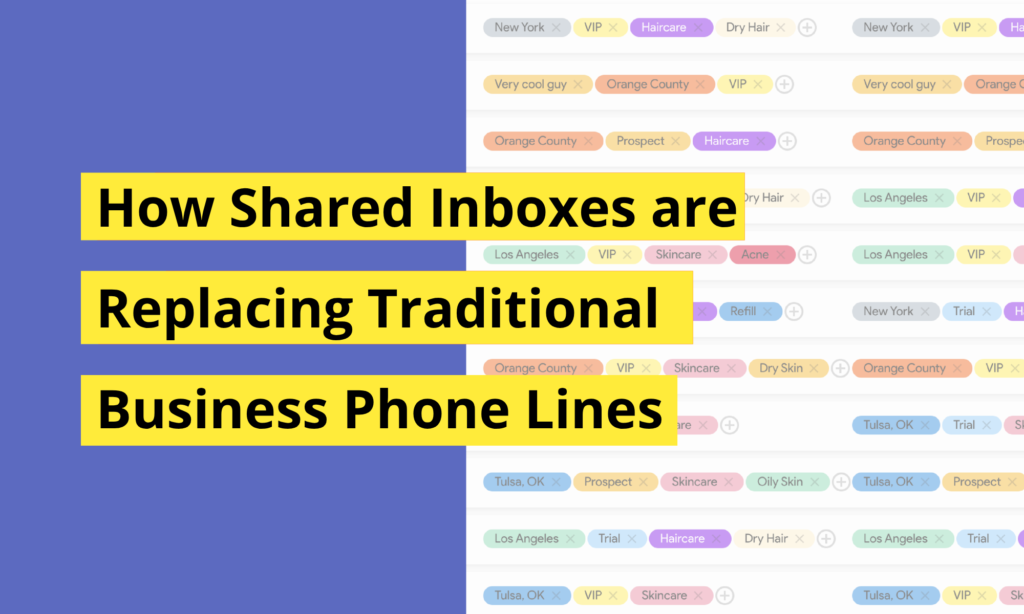
The traditional business phone line is broken. If a customer calls your office, leaves a voicemail, sends a text to a salesperson’s personal cell, and then emails support, your team is completely blind. Important details get lost across different apps, response times slow down, and customers get frustrated repeating themselves. An omnichannel shared inbox fixes this by centralizing your entire communication stack into one thread per customer. Here is how a unified workspace changes how your team handles calls, texts, and customer relationships. 1. Unified Customer History When a customer reaches out, your team shouldn’t have to guess who spoke to them last or what was promised. Centralizing text messaging, phone calls, and automated notifications into a single dashboard gives everyone instant context. A support agent can pick up exactly where a salesperson left off, without skipping a beat. 2. Built-in Calling & Texting Continuity An omnichannel communication infrastructure allows you to manage voice and text simultaneously: Call Forwarding & Voicemails: Route incoming calls dynamically so no lead goes unanswered, and access automated voicemail transcripts directly within the customer’s chat thread. Two-Way Texting: Seamlessly transition a voice conversation into a text thread to send links, order updates, or images in real time. Shared Ownership: Assign specific conversations to available staff members while maintaining absolute visibility across the rest of the team. 3. Stop Siloing Your Relationships Relying on personal mobile devices for customer outreach creates massive security and operational vulnerabilities. If a team member leaves, your client history goes with them. Moving your calling and texting infrastructure to a central workspace keeps your data secure, preserves employee privacy, and ensures your business owns its customer relationships. 4. Real-Time Team Collaboration Inside a shared inbox, team members can collaborate on live conversations behind the scenes. You can internally tag teammates, leave private notes on a contact profile, and assign specific customer chats to the right expert without the customer ever seeing the internal handoff. 5. Multi-Agent Availability Traditional phone systems tie a customer to one person’s line or create a bottleneck. With a shared omnichannel inbox, multiple agents can view, manage, and respond to the same conversation simultaneously from their own devices. This ensures fast response times even during peak hours, without messages slipping through the cracks. The Bottom Line Modern communication isn’t just about making phone calls or blasting text messages, it is about keeping the conversation connected. Streamlining your communication channels into one powerful dashboard helps your team collaborate faster, close more sales, and keep customers loyal. Try AskNeo.io today, request your free trial or book a demo!
How SMS Certification Really Works (2026 edition)

Since the major carrier shifts between 2021 and 2023, business texting has changed from an open wild west to a strictly regulated ecosystem. As of February 2025, all major US carriers began blocking unregistered A2P (Application-to-Person) traffic entirely. These changes were driven largely by the need to comply with the Telephone Consumer Protection Act (TCPA), a federal law that restricts telemarketing and the use of automated telephone equipment. If your business isn’t certified and compliant with these legal standards, your messages simply won’t be delivered. Why Certification is Mandatory The certification framework exists to solve a specific problem: the explosion of anonymous, high-volume spam and predatory scamming. By requiring every business to register their Employer Identification Number (EIN) and specific message intent through The Campaign Registry (TCR), carriers can hold senders accountable. Before these regulations, the SMS network was frequently exploited by anonymous actors, many operating from abroad, who could blast thousands of messages without any oversight. While the administrative hurdle is higher, the result is a cleaner network where legitimate messages are no longer drowned out by scams, ensuring your brand receives better attention and higher open rates. Carrier Limits: The Numbers SMS certification is about your literal capacity to send. Carriers enforce strict daily and minute-by-minute caps based on your registration type: T-Mobile Daily Caps: Most businesses (Low Volume Standard Brands) are capped at 2,000 messages per day across their entire brand. If you are a Sole Proprietor without an EIN, that limit drops to 1,000 messages per day. AT&T Throughput: AT&T measures capacity in Messages Per Minute (MPM). A typical small business (Class T) is limited to 75 MPM, while a Sole Proprietor (Class W) is restricted to just 15 MPM. All other carriers: Most standard business campaigns without secondary vetting are limited to a total of 3,000 messages per day across all US networks. If you exceed these, you’ll receive Error 30023 and your traffic will be cut off until the clock resets at midnight Pacific Time. In the AskNeo dashboard, if a message fails to deliver for any reason, a red cross will appear below the message in the conversation feed. You only pay for messages that are successfully delivered! Which Businesses can and cannot text? The carrier ecosystem strictly enforces SHAFT guidelines, which stands for Sex, Hate, Alcohol, Firearms, and Tobacco. Any business operating in these industries including cannabis, CBD, vaping, and adult entertainment is fundamentally banned from A2P 10DLC messaging. This also covers ancillary businesses like paraphernalia shops or clubs. Additionally, high-risk financial services are prohibited, specifically payday loans, short-term high-interest lending, debt collection, and “get rich quick” schemes such as multi-level marketing (MLM) or crypto scams. Marketing for gambling, sweepstakes, and certain political campaigns also faces heavy scrutiny and requires specific, high-level vetting that goes beyond the standard registration process. Third-party lead generation, where a company like a mortgage broker or insurance agent sells consumer data to others, is a major trigger for immediate rejection. Even “cold” outreach for real estate wholesaling or deceptive “tax relief” offers are manually flagged by carriers. If your business falls into these categories, carriers will block your traffic at the gateway to remain compliant with federal consumer protection laws and CTIA guidelines. While many industries face strict scrutiny, the vast majority of standard business operations are fully allowed and welcomed by carriers, provided they follow the registration process. Approved Business Types and Use Cases (non-exhaustive): Customer Support: One-on-one communication, answering product questions, and technical assistance initiated by the customer. Professional Services: Legal offices, accounting firms, and consulting agencies using text for client communication. Appointment-Based Businesses: Medical and dental practices, hair salons, and automotive shops sending automated reminders or scheduling updates. E-commerce and Retail: Sending order confirmations, shipping tracking alerts, and delivery notifications. Hospitality and Restaurants: Managing table reservations, waitlist notifications, and guest services. Education: K-12 schools and universities sending campus alerts, class schedule changes, or deadline reminders. Non-Profits and Charities: Organizations registered as 501(c)(3) sending out event invitations or community outreach messages. Real Estate: Licensed agents and brokers managing lead inquiries and showing schedules (provided there is direct consent, not “cold” outreach). Security and Utilities: Two-factor authentication (2FA) codes, fraud alerts, and service outage notifications. Marketing and Promotions: General business marketing including sale announcements, coupons, and seasonal newsletters. Tech and Software Companies (SaaS): Sending password resets, system status updates, and onboarding sequences for new users. Home Services and Contractors: Plumbers, electricians, HVAC technicians, and landscapers sending estimates and arrival notifications. Lawyers and Legal Firms: Coordinating case updates, meeting reminders, and document collection. Healthcare and Medical Clinics: Specialized clinics using SMS for mental health checks, managing operations, prescription refill alerts and follow-up care instructions. Fitness and Wellness: Gyms, yoga studios, and personal trainers use texting for class booking confirmations, membership billing alerts, and motivational challenges. Logistics and Transportation: Delivery services, trucking companies, and private car services use SMS for real-time tracking links, driver arrival notifications, and delivery confirmations. The key to approval for these businesses is not just the industry itself, but the clarity of the “Use Case” and the proof of a clean opt-in process on your website. As long as you are a legitimate legal entity (with an EIN) and your customers have explicitly asked to hear from you, your business is a prime candidate for certification. The Registration Process: 2026 edition. AskNeo streamlines the A2P 10DLC registration process in 5 easy steps: 1. After signing up for your free trial, simply complete a form regarding your business and use cases. AskNeo handles everything for you, including carrier vetting and relationships. 2. If your website or signup page does not currently feature an opt-in checkbox, please incorporate one using the following language: By clicking, signing up, or applying to our website and/or service, you agree to our Terms of Service {URL} and the Privacy Policy {URL}. By submitting, you authorize {Your company name} to send text messages with offers and other information. Consent is not a condition of purchase. Message frequency varies. Message & data rates
How to scale your customer experience without losing the human touch

From SMBs to larger companies, most teams are struggling with fragmented tools, using personal cell phone numbers for business, and losing critical customer data in siloed email threads or private messaging apps. This lack of organization doesn’t just create stress, it kills growth. AskNeo was built to solve these exact pain points, providing a unified platform where collaboration meets personal connection. Whether you are managing sales, customer support, or marketing, the goal is to bridge the gap between your team and your customers, allowing you to scale your reach without losing the human touch. Separate personal and business numbers One of the most immediate benefits of using AskNeo is the ability to finally draw a clear line between your private life and your professional identity. For too long, founders and team members have had to give out their personal cell phone numbers to stay accessible, leading to late-night texts and a total lack of privacy. AskNeo provides dedicated business numbers that live within the platform, allowing you to manage all professional communication without ever compromising your personal device. This separation ensures that you stay professional while maintaining the boundaries necessary for long-term focus and sanity. Collaborate with team and solve siloed teams Communication often fails when it stays trapped in one person’s inbox or on a single staff member’s phone. AskNeo solves the problem of siloed teams by creating a transparent environment where collaboration is the default. Instead of departments working in isolation, your entire team can access the same dashboard to ensure no message falls through the cracks. This collaborative approach allows many staff members to seamlessly attend to one customer; if a salesperson starts a conversation and a support agent needs to finish it, the transition is invisible and effortless for the client. Build personal customer relations 1:1 at scale The challenge for any growing business is maintaining the “small shop” feel while managing hundreds of customers. AskNeo allows you to build deeply personal, 1:1 customer relationships at a massive scale. By using a centralized dashboard for texting and calling to track every customer interaction, you can provide the kind of tailored attention that usually requires an army of assistants. This level of intimacy in communication transforms a cold transaction into a genuine relationship, making every customer feel like they are your only priority even as your database grows into the thousands. Business continuity and customer experience continuity A major risk for any company is losing the history of a customer relationship when a staff member leaves or changes roles. AskNeo ensures total business continuity by keeping every thread, call, and text recorded in a single, shared history. This means that the customer experience continuity remains unbroken regardless of internal changes. When a customer reaches out, any team member can pick up exactly where the last person left off, providing a smooth, professional journey that builds incredible trust and prevents the frustration of “starting over.” Increase revenue, conversion, and better customer loyalty Ultimately, the goal of better communication is to drive the bottom line. By responding faster and more personally through text, you naturally increase conversion rates and move prospects through the sales funnel with less friction. This direct line of communication is also the most effective way to retain more customers; when people feel a personal connection to a brand, they exhibit much better customer loyalty. By combining sales, customer support, and marketing into one cohesive strategy, you create a flywheel effect that increases total revenue and keeps your churn rate at an all-time low. Save time and decrease no-shows Efficiency is the backbone of a profitable operation, and AskNeo is built to save time at every turn. By automating routine touchpoints and managing all outreach from one dashboard, your team can accomplish in minutes what used to take hours of manual dialing. One of the most practical applications of this efficiency is the ability to drastically decrease no-shows. Real-time text reminders and easy two-way scheduling ensure that your calendar stays full and your staff isn’t left waiting for appointments that never arrive. See for yourself Managing hundreds of customers shouldn’t feel like a chaotic balancing act. By centralizing your communication into a single dashboard, you empower your team to collaborate effectively, ensure business continuity, and build the kind of 1:1 relationships that drive long-term loyalty. AskNeo isn’t just about sending texts or calling customers; it’s about increasing your conversion rates, saving your team hours of manual work, and ultimately scaling your revenue through a superior customer experience. Ready to transform your business communication? Start your free trial with AskNeo today and see how easy it is to manage your team and your customers from one powerful shared inbox.
9 Customer Experience Mistakes All Small Businesses Can Easily Avoid 🤓
It’s a rainy Tuesday night. Sarah, a loyal customer of a local high-end boutique, is finally sitting down for dinner after a long day. Her phone buzzes. It’s a text from the boutique: “HEY SARAH! HUGE NEWS!! 40% OFF ALL SHOES THIS WEEK ONLY! DON’T MISS OUT!!! CLICK HERE: [Long, ugly bit.ly link]” Sarah sighs. She actually bought shoes there yesterday. She feels like a number in a database, not a valued client. Two minutes later, her phone rings. It’s an unknown number. She ignores it. It’s the boutique calling to “follow up” on the text. By Wednesday morning, Sarah has blocked the number. The boutique didn’t just lose a sale; they lost a relationship. When we talk about texting and calling at AskNeo, we aren’t just talking about hitting “send.” We’re talking about entering someone’s private sanctuary: their lock screen. To keep Sarah’s trust, avoid these 9 common mistakes… 1. The “Ambush” Call As Sarah’s story shows, an unscheduled call is a demand for immediate attention. In 2026, a call out of the blue feels like an emergency. If it isn’t one, it’s an annoyance. The Mistake: Calling a lead or customer without any “digital” warning. The Best Practice: Text before you call. “Hi Sarah, it’s Jim. I have a quick update on your order: do you have two minutes for a brief ring?” This gives her the chance to say “not right now” without feeling pressured. 2. Disconnected Communication (The “Right Hand vs. Left Hand” Problem) The real issue in Sarah’s story wasn’t that they used both; it’s that the call and text weren’t working together. The boutique called to “follow up” on a text she hadn’t even processed yet. The Mistake: Using texting and calling as two separate silos instead of a unified conversation. The Best Practice: Use SMS to set the stage for the call. Send the text to provide value (like a tracking number or a quick answer), and use the call only when a real-time conversation is actually necessary to solve a problem. 3. The “ALL CAPS” Screamer Sarah’s text looked like a digital migraine. If you shout at your customers, they’ll stop listening. The Mistake: Using excessive caps and exclamation points to “grab attention.” The Best Practice: Text like a human. Use sentence case. Be calm. If your offer is actually valuable, you don’t need to scream it. 4. The “Paragraph of Doom” If Sarah has to scroll to finish your message, she’s going to close the app before she reaches the link. The Mistake: Trying to fit an entire email’s worth of info into an SMS. The Best Practice: Use the “One-Breath Rule.” If you can’t say it in one breath, it’s too long. Keep it under 400 or 500 characters. 5. Playing “Phone Tag” Without a Map Leaving a voicemail that just says “Call me back” adds a chore to Sarah’s to-do list. The Mistake: Leaving open-ended “call me back” messages that lead to a week of missed connections. The Best Practice: Provide a clear next step. “I’ll try you again tomorrow at 10 AM,” or send a link where she can pick a time that works for her. 6. The Identity Crisis Sarah ignored the call because it was an unknown number. If she doesn’t know who is reaching out, she’s not picking up. The Mistake: Forgetting to identify yourself in the first 5 words of a text or 5 seconds of a call. The Best Practice: Always lead with: “Hi Sarah, it’s Jim from the Boutique.” Context is the difference between a “Reply” and a “Report Spam.” 7. Ignored Replies (The “Bot” Trap) There is nothing more frustrating than Sarah replying to your text with a question and getting… silence because you’re using a one-way “blast” tool. The Mistake: Sending messages from an unmonitored inbox. The Best Practice: Messaging is a conversation. If you send a text, be ready to reply. An immediate human response is what actually builds the loyalty Sarah used to have. 8. Bad Timing (The “Dinner Killer”) As we saw with Sarah, reaching out while she’s finally sitting down to eat is the fastest way to get blocked. The Mistake: Calling or texting during “The Danger Zones”: Dinner time, late nights, or early Monday mornings. The Best Practice: Stick to “Socially Acceptable” hours. Aim for mid-mornings (10:30 AM) or mid-afternoons (2:00 PM). 9. The “Clingy Ex” Energy If Sarah hasn’t responded to your last two messages, a third one isn’t going to fix it. The Mistake: Over-messaging a lead who has gone cold. The Best Practice: Know when to walk away. Use a “Break-up Text”: “Hey Sarah, it seems like now isn’t a great time. I’ll take you off the list for now, feel free to reach out if you ever need help!” Human-to-human customer experience Your customer’s phone is their most personal device. Treat it with the same respect you’d give to their front door. Don’t just “blast”, build a relationship. The same way you would talk to customers in person, you can talk to them via text or call. Same tone, same vibe, same respect: the same human-to-human feeling. That’s why we built AskNeo in the first place: to help you build human-to-human connections with your audience at scale. Don’t take our word for it, try it yourself now.
The Speed of Trust: Why your CRM should feel like a conversation 👨🏻💻
Business moves at the speed of a text message. If your tools are slow, your growth is slow. At AskNeo, we do not believe in managing customers. We believe in talking to them human-to-human. When you sync your CRM, text messages, and calls, you stop being a vendor and start being a partner. Here is how to build that momentum. High Velocity CRM Your CRM should be your competitive advantage, not a chore. Total Visibility: Imagine picking up the phone and already knowing the last three texts your customer sent. That is the power of a unified stack. Real-time Context: Use data to be helpful. When you know a customer’s history, every conversation starts ten steps ahead. Unified Conversation Thread: See every text and call log in one continuous timeline. You never have to hunt for information because the whole story is right there. SMS text messages: The Direct Line Texting is the most personal way to communicate. Respect the space and reap the rewards. Real Time Wins: A quick text can solve a problem in seconds that used to take days. Two Way Power: Do not just broadcast. Listen. When customers can text you back, you build a relationship that actually scales. Shared Inbox Feed: See exactly what other staff did before with the shared inbox feed. This transparency ensures your team is always aligned. Voice: The Human Edge In a world of bots, a real human voice is a premium experience. Perfect Timing: Use text message to find the best window to talk. No more phone tag. Just meaningful connections. Seamless Handoffs: When a call ends, the notes should be there for the next person instantly. No lost details and no forgotten promises. Assigning a Thread: Instantly assign a thread to a staff member. This ensures the right person is always leading the conversation. Our vision at AskNeo.io We build tools that get out of your way. By unifying CRM, SMS, and Voice, we handle the tech so you can handle the human. That is how you turn a lead into a loyalist. No AI bullshit, no complex setup. Try it now for free and see for yourself!
Introducing “Call Forwarding” for Teams 🤙
The AskNeo Shared Inbox is growing alongside your business! As teams grow, communication naturally becomes more distributed. A single phone number may represent a business, a department, or a shared service, but behind that number there are often multiple people and multiple destinations. Call Forwarding exists to bridge that gap — allowing one incoming call to be routed exactly where it needs to go, without friction for the caller. With Call Forwarding, AskNeo brings a familiar concept into a team-based communication workflow. Forwarding a Call to Another Number At its core, call forwarding is simple. When someone calls your AskNeo number, the call doesn’t have to stop there. It can be rerouted to another phone number, automatically and transparently. The caller dials one number, and the system handles the routing behind the scenes. This basic form of call forwarding makes it possible to control where calls land, without changing how people reach you. From Single Forwarding to Team Forwarding In team environments, calls are often meant to be handled collectively rather than by a single destination. AskNeo extends basic call forwarding by allowing calls to be forwarded beyond one number and into a team context. Instead of thinking in terms of a single endpoint, forwarding becomes a way to route calls to the people responsible for answering them. The logic stays the same — a call is rerouted — but it now supports shared ownership. Forwarding Calls to Multiple Staff Members at Once Call Forwarding in AskNeo allows incoming calls to be forwarded to several staff members simultaneously. Rather than selecting one destination, the call is routed to multiple phone numbers at the same time. Everyone included receives the call, while the caller experiences a single, uninterrupted connection. This approach is especially useful in teams where calls are shared, coverage rotates, or responsiveness matters. First to Answer Takes the Call When a call is forwarded to multiple staff members, the behavior remains clear and predictable. The first person to answer takes the call, and the call immediately stops ringing for everyone else. There is no overlap, no duplicate conversations, and no confusion about who picked up. Internally, responsibility is clear. Externally, the experience feels seamless. One Simple Concept, Applied Flexibly Whether a call is forwarded to one number or several, the underlying idea remains consistent. Call Forwarding reroutes calls intentionally, without changing the caller’s experience. Teams gain flexibility in how calls are handled, while communication stays structured and controlled. Built for Team-Based Communication Call Forwarding in AskNeo is designed to scale naturally from simple use cases to more collaborative ones. By starting with straightforward call rerouting and extending it to team forwarding and simultaneous ringing, AskNeo provides a predictable and flexible way to manage incoming calls as teams evolve. Giving Teams Control Over Call Routing Call Forwarding gives teams control over where calls go and how they are answered. From single-number forwarding to forwarding across multiple staff members at once, AskNeo makes call handling adaptable without adding complexity — keeping communication clear, reliable, and easy to manage. Call Forwarding, Unified in One Place Call Forwarding for teams lives inside the AskNeo shared inbox. Incoming calls, forwarded calls, regular phone calls, and text messages all exist in the same workspace. Teams don’t need to switch tools or manage separate systems to understand what’s happening. By keeping call forwarding alongside calls and SMS, AskNeo gives teams a single place to handle communication, maintain context, and stay aligned—no matter how a conversation starts or where it’s routed. That’s what makes Call Forwarding for teams practical: not as a standalone feature, but as part of one shared communication flow. Try AskNeo today: book your demo now!
Introducing “Phone Calls” ☎️
How Voice is Becoming a Core Part of AskNeo AskNeo has always been about helping teams communicate clearly, efficiently, and with context. SMS remains at the core of that experience. It’s fast, reliable, and ideal for most day-to-day communication. At the same time, some interactions benefit from a live conversation. That’s why AskNeo now supports Phone Calls, allowing teams to handle voice communication inside the same workflow they already use for messaging. Extending Conversations Beyond Text Phone Calls are not a replacement for SMS. They extend it. A conversation can start in writing, move to a call when appropriate, and continue afterward without breaking context. The channel changes, but the conversation doesn’t. AskNeo treats calls as part of the same interaction, so teams stay aligned and communication remains continuous. One Conversation, One Context When calls exist outside your messaging system, teams are forced to rely on memory, notes, or manual follow-ups. With Phone Calls in AskNeo, voice interactions live alongside messages. Teams can see what led up to the call and what happens after it, all in one place. From the other person’s perspective, communication feels consistent. Internally, teams keep clarity and continuity. Built for Teams, Not Individual Devices Phone Calls in AskNeo are designed for shared environments. Calls are handled by staff members who already manage conversations, with clear ownership and visibility. Teams know who handled the call and can continue the conversation without guessing or recreating context. This is especially important in organizations where communication moves across roles, shifts, or teams. From Conversation to Action Calls often lead directly to next steps. Whether it’s confirming details, scheduling something, answering questions, or deciding on follow-up actions, those steps naturally continue after the call. By keeping calls connected to the conversation, AskNeo makes that transition seamless. Nothing needs to be re-explained. Nothing falls through the cracks. How Phone Calls Fit Into Daily Workflows Phone Calls work alongside existing AskNeo features. Teams can move between messaging and voice as needed, assign or reassign responsibility, and maintain a complete picture of each interaction. The workflow stays the same; teams simply gain another way to communicate within it. The result is not more complexity, but more flexibility. Designed Around How Teams Communicate Real communication isn’t limited to a single channel. It evolves, adapts, and sometimes requires a different format. Phone Calls in AskNeo are designed with that reality in mind, integrating naturally into existing workflows rather than sitting alongside them. Empowering Teams with More Ways to Connect Giving teams access to both messaging and voice within the same system strengthens how they work together. Phone Calls allow teams to communicate with clarity and confidence, while staying organized, aligned, and in control. By bringing voice into the AskNeo workflow, teams gain more flexibility without sacrificing structure, context, or consistency. Want to experience the most powerful business shared inbox on the market? Book your discovery call today!
Introducing “Message Receipts” for SMS & MMS ✅
White, Grey, Blue and Red: 4 colors, 4 statuses Sending an SMS is only part of the conversation, and what happens after you hit send matters just as much. With Message Receipts, AskNeo gives teams visibility into the delivery status of every text message and MMS right inside the shared inbox. Instead of guessing whether a message reached its destination, you can now see delivery outcomes instantly in every conversation based on colors and check marks. How Message Status Works AskNeo shows simple visual indicators next to each message so you can understand its status at a glance. • No check mark yet means the message is still being processed and sent. • A grey check mark means the SMS or MMS was successfully sent from AskNeo to the carrier. • A blue check mark means the message was delivered to the recipient’s device. • A red cross means the message was not delivered. In this case, the message did not reach the recipient and you are not charged for that message. These receipt indicators give teams clarity on what happened after sending, right alongside the conversation where teams are already working. Why Message Receipts Matter for Teams In shared inbox environments, multiple staff members may be involved in the same conversation. When a customer doesn’t reply, receipts help teams understand whether they simply haven’t seen the message yet or if the message may not have reached them at all. This prevents unnecessary duplicate follow-ups and gives teams confidence in how they handle next steps. Receipts Inside the Conversation Thread Message receipts appear directly in the AskNeo conversation thread for every text you send — whether it’s a one-on-one SMS, MMS with media, a broadcast message, or a message sent through automation. There’s no separate screen to check, no reporting dashboard to open. You get delivery visibility exactly where you’re reading and replying to conversations. Consistent Across All Messages AskNeo applies the same delivery indicators whether the text was sent manually by a staff member, through an automated flow, or by the bot. This keeps message status consistent across all communication paths within AskNeo, allowing teams to work from a unified view of each customer thread. Simple Feedback, Immediate Insight The power of AskNeo’s message receipts is in their simplicity. You don’t need to interpret complex logs or dig into external tools. A small indicator tells you what you need to know in context: Grey = sent Blue = delivered Red cross = not delivered (not billed) And because these indicators appear right in the shared inbox, teams can coordinate responses more effectively, keep conversations moving, and maintain confidence in every interaction. Ready to start using SMS and MMS receipts, alongside Voice in one single shared inbox? Book your discovery call today!
Introducing “Automations” 🤖
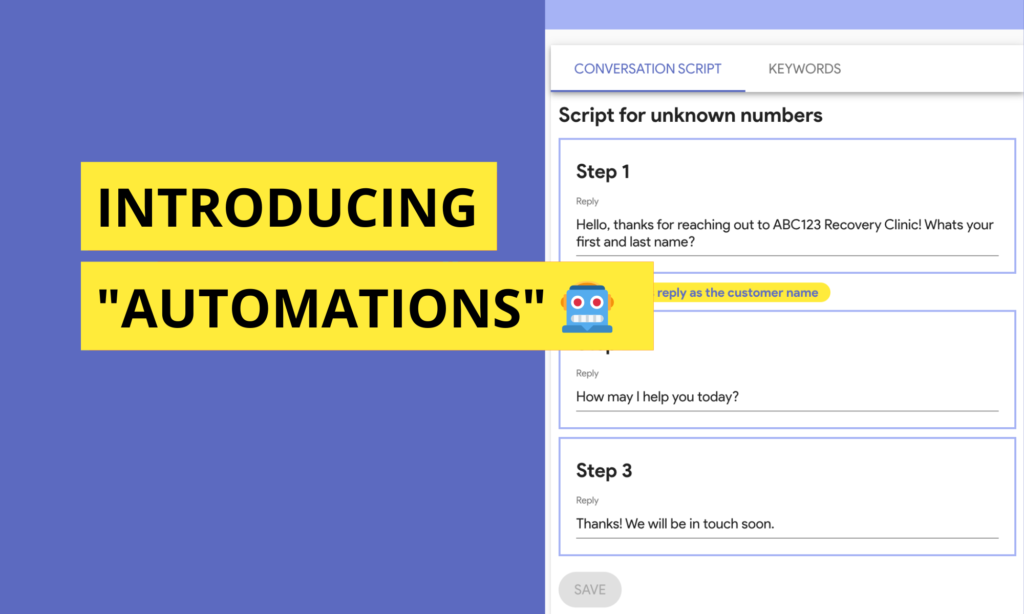
Introducing Automations Managing customer communication is more than just replying quickly. It’s about creating predictable, personalized experiences that scale, without tying teams to repetitive manual work. AskNeo’s Automations bring together powerful building blocks you’ve already come to rely on: the SMS bot, SMS Keywords, dynamic content, and integrations via Zapier, into a unified system that helps teams work smarter, not harder. Automations: The Glue Behind Smart Conversations Automations in AskNeo are not a separate tool. They are the connective layer that turns rules and conditions into real actions inside your shared communication workspace. Instead of manually sending information, filtering requests, or repeating the same response over and over, Automations can handle those tasks based on triggers — like an incoming keyword, a message pattern, or an external event so teams stay focused on higher-value conversations. Built on AskNeo’s Conversational Bot and Keywords A key part of AskNeo’s automated workflows is the AskNeo bot your customizable conversational avatar that can respond instantly to incoming SMS, guide customers with structured flows, collect information, and trigger follow-ups when rules are met. Automations work hand in hand with SMS Keywords, letting your team define triggers that kick off specific actions. For example, when someone texts a certain keyword, AskNeo can respond automatically with a sequence of replies, tag the customer, assign the conversation, or queue an internal action, all without manual input from your team. These building blocks give teams a way to make routine interactions feel intentional and personalized, with logic that can handle branching scenarios and real-time triggers. Dynamic Content Keeps Automation Personalized Automations aren’t just about doing things automatically, they’re about doing them meaningfully. AskNeo’s dynamic content lets teams personalize automated messages using variables like first name, phone number, email, or any customer field in your profiles. This means that automated replies, campaigns, and follow-ups don’t feel generic, they feel tuned to the individual on the other end of the conversation. Whether it’s an automated welcome message, a status update, or a mass SMS broadcast that pulls in customer data, dynamic content ensures automation feels human. Automations Beyond AskNeo with Zapier Integration AskNeo’s extensibility with Zapier means Automations aren’t limited to internal triggers alone. With Zapier integration, teams can connect AskNeo to thousands of apps and workflows in other platforms. This opens up powerful possibilities: Create AskNeo customers from new CRM records Send SMS from third-party tools when an event occurs Trigger AskNeo messages based on form submissions or database changes Update customer records based on external events And because AskNeo keeps communication in unified conversation threads, responses triggered through Zapier remain contextual and aligned with the rest of the customer interaction. Automation for Every Team and Every Stage Whether you’re in sales, support, operations, or marketing, Automations help remove repetitive work from everyday workflows: Sales teams can trigger follow-up messages or reminders based on keyword responses or external CRM events. Support teams can kick off automated flows when customers indicate certain needs via keyword triggers. Operations teams can sync external triggers (like order events) into AskNeo and automate updates or alerts. Marketing teams can personalize campaigns at scale using dynamic content and automated sequences. In each case, AskNeo Automations help teams stay responsive and consistent without sacrificing personal touch. A Shared Inbox That Works Together Automations don’t live in a silo. They work inside the AskNeo shared inbox, alongside 1:1 conversations, call handling, tags, and customer records. This means that every action — whether manual or automated — stays part of the same conversational context. Teams can jump in at any time, review what’s happened, and take action without losing thread continuity. By bringing automated logic into the same workspace where teams already collaborate, AskNeo makes automation practical and visible — not hidden or detached. Start leveraging automations today: book your AskNeo discovery call here!
Introducing “Tags” to Categorize Conversations & Customers 🏷️
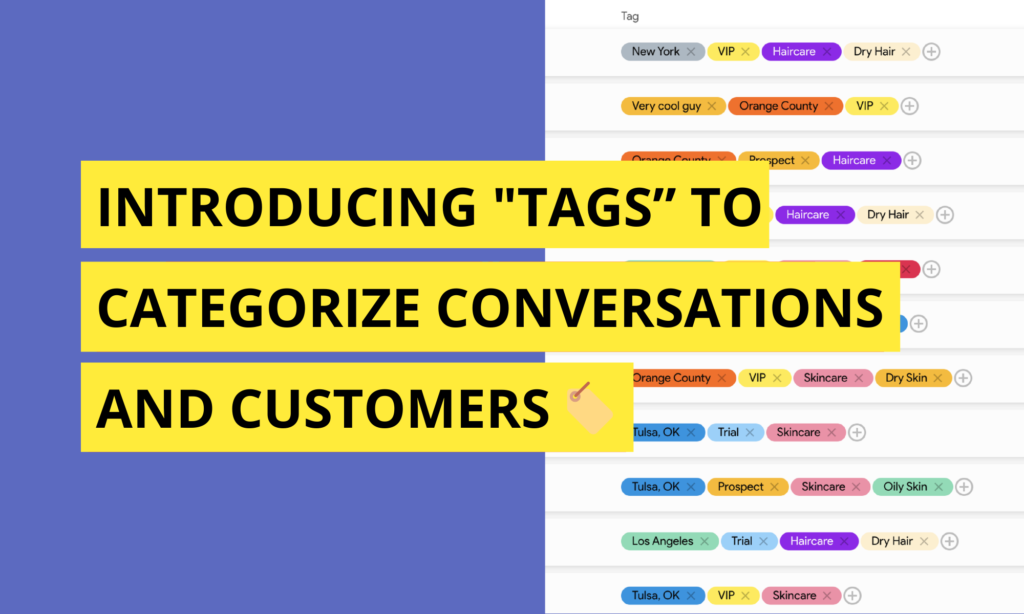
Tags: Your New Team Superpower As communication grows, organization becomes just as important as speed. When teams handle hundreds or even thousands of conversations, context isn’t only in the messages themselves. It is also in how conversations and customers are categorized. That’s where Tags come in. With Tags for Conversations and Customers, AskNeo gives teams a flexible way to organize, filter, and act on communication at scale. Tagging Conversations and Customers Tags allow teams to label conversations and customers with meaningful identifiers. A tag can represent almost anything: a status, a topic, a priority, a stage, a segment, or an internal classification. Tags can be applied to individual conversations or directly to customers, creating structure without forcing rigid workflows. The goal isn’t to limit how teams work. It’s to give them a shared language to organize communication. Unlimited Possibilities, One Simple System There’s no fixed list of tags. Teams can create their own tags, name them however they want, and assign custom colors to make them instantly recognizable. This keeps tagging intuitive and visually clear, even as usage grows. Some teams use tags to track progress. Others use them to group customers. Others use them to flag urgency, ownership, or intent. The system adapts to the team, not the other way around. Tags for Teams In sales, tags might reflect stages or intent: new lead, qualified, follow-up, demo scheduled, closed. This makes it easy to see where conversations stand at a glance and to focus on what matters most. In customer success or support, tags can represent topics or status: onboarding, billing question, technical issue, resolved, escalation. Teams can quickly identify patterns, recurring issues, or conversations that need attention. In operations or service teams, tags may indicate context such as location, service type, priority level, or internal workflow steps. Conversations stay organized even as volume increases. In healthcare teams, tags can be used to reflect non-clinical workflow context such as intake, scheduling, follow-up needed, billing question, or insurance-related. This helps teams coordinate communication while keeping conversations organized and easy to triage. In retail or ecommerce teams, tags often reflect customer value or intent, such as first-time buyer, returning customer, VIP, order issue, refund request, or delivery update. Teams can quickly identify high-priority customers or group conversations by order-related needs. The same tagging system works across departments, while still allowing each team to use it in their own way. Tags as a Tool for Action, Not Just Organization Tags aren’t only for classification. They are also a way to act. By tagging conversations or customers consistently, teams can filter views, focus on specific segments, and understand what’s happening across the inbox without reading every message. Tags turn the shared inbox into a structured workspace, not just a stream of messages. Broadcast SMS by Tag One of the most powerful uses of tags is communication at scale. AskNeo allows teams to broadcast SMS messages to customers based on tags. Instead of selecting contacts one by one, teams can send targeted messages to a specific tagged group. Sales teams can follow up with a particular segment. Customer success teams can notify users about updates. Operations teams can communicate changes or reminders to the right audience, all using the tags they already rely on. The result is targeted communication that stays relevant and intentional. Designed to Stay Flexible as Teams Grow As teams evolve, so do their needs. Tags are designed to scale naturally, from a handful of simple labels to a rich system of categorization that supports complex workflows. New tags can be created at any time, colors can be adjusted, and usage can adapt without reworking existing conversations. There’s no lock-in to a single methodology. Just a shared structure that grows with the team. Bringing Structure to the Shared Inbox Tags for Conversations and Customers live directly inside the AskNeo shared inbox. They sit alongside calls, messages, assignments, and forwarding, giving teams one place to organize, understand, and act on communication. By combining flexible tagging with real-time communication, AskNeo helps teams stay organized and empowers them with more speed, clarity, and control. Want to experience the best SMS & Voice shared inbox, get yours today here!