
Tags for Customer Segmentation
Segment your audience with Tags
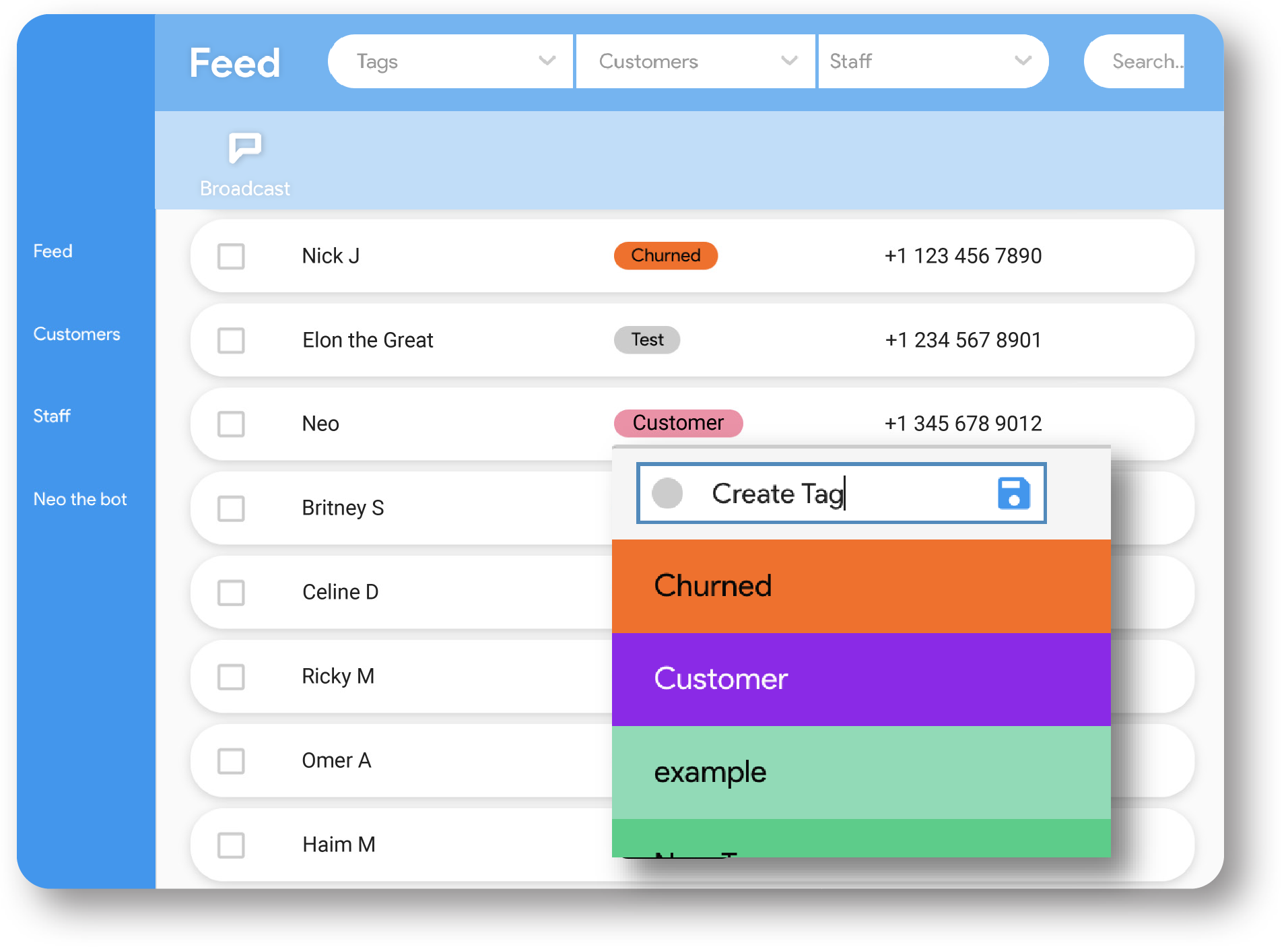
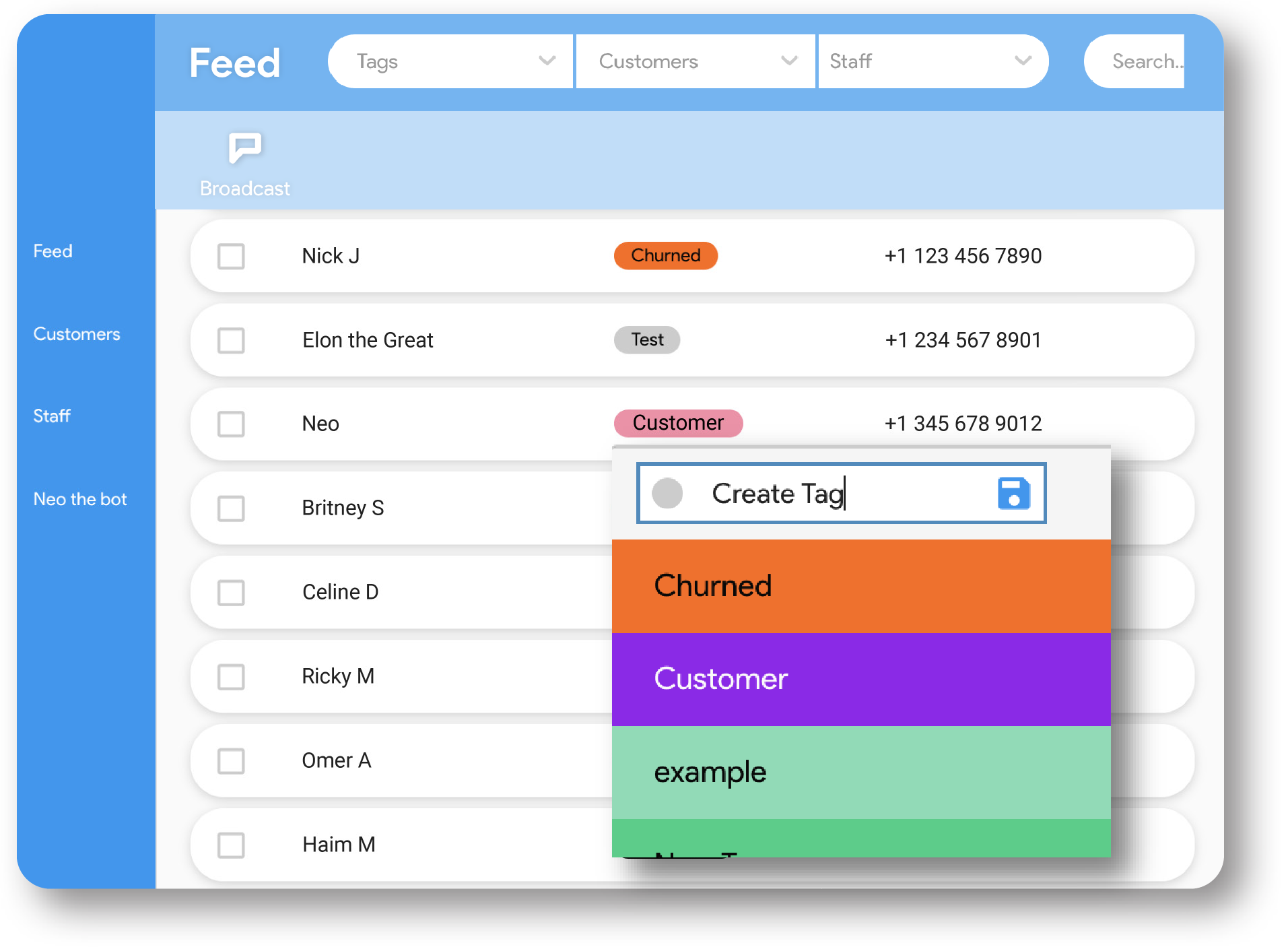
Askneo is an online texting platform that is perfect to segment your audience by creating your own colorful labels called Tags. Tags help you keep organized in the most visual and intuitive way possible. Tags are associated with Customers and the Conversation you have with them. You can change a contact’s Tag at any time to make your segmentation evolve just the way you want.
Customizable
Tags are colorful and they appear in both the Feed and the CMS, so you keep track of customers and conversations across the entire Askneo CRM in the most visual way. Plus the palette is colorblind-friendly with color codes!
Unlimited
You can create as many tags as you want. Tags are unlimited. They’re so addictive that you’ll want to create hundreds of them. Do whatever you love with Tags and don’t limit yourself ever again!
Bulk Text by Tag
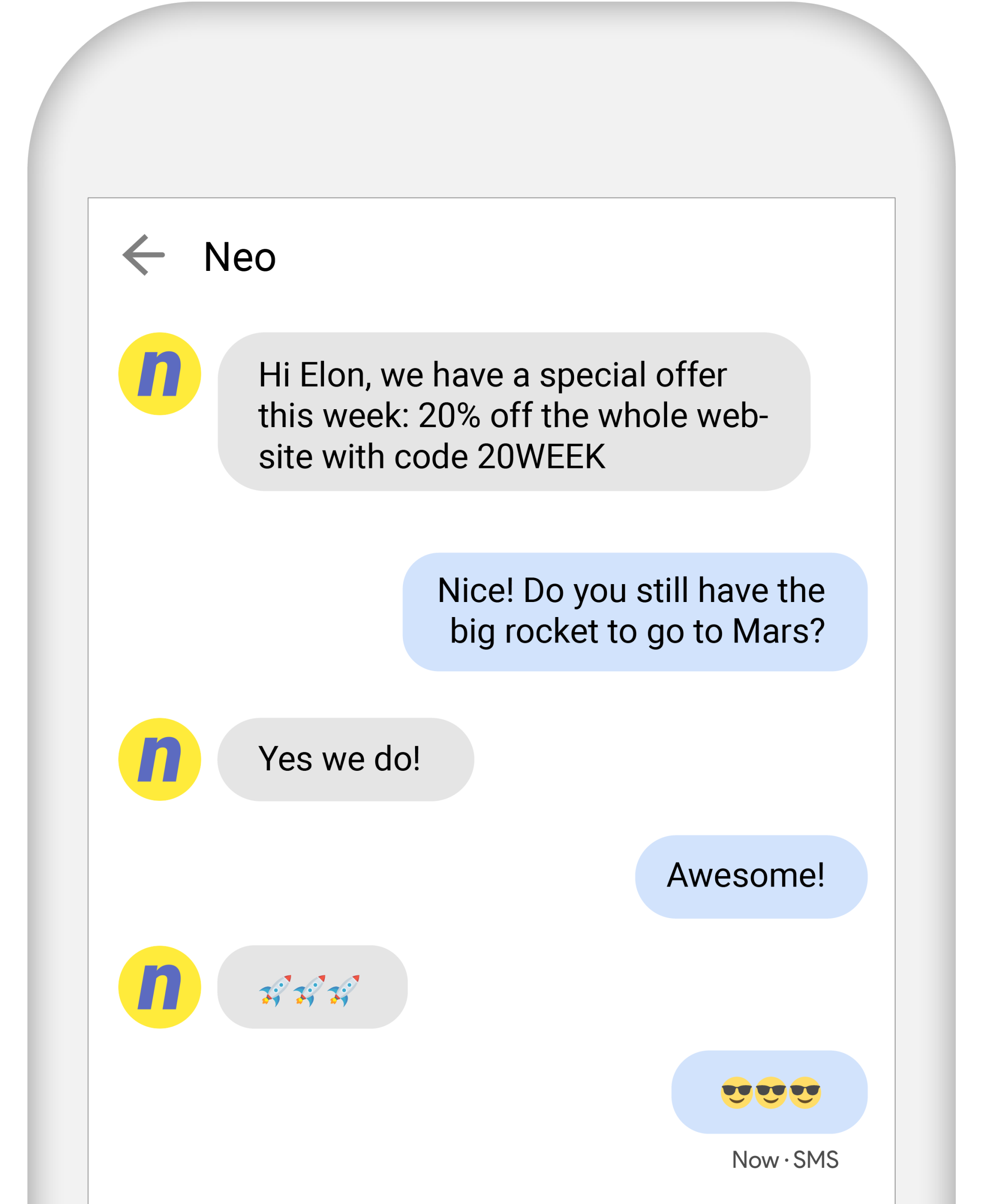
Broadcast SMS marketing by Tag, so you only send certain text messages to certain groups only. You can send mass texts to one or several Tags at once. Broadcasting SMS and MMS by Tag is so rad!
Evolutive
Your audience and customer lists are not a static thing! They evolve, and your segmentation should too. Tags allow you to evolve with your audience, one contact at a time, by group of people, or all at once.
Easy to Use
Tags take two seconds to create and attribute to one or several customer conversations. Tags allow you to filter customers with the filter bar so you can display only certain conversations associated with a particular Tag.
Works for You
Create your own tags. Labeling contacts can be based on customer preferences, sales cycle, last purchase, demographics, willingness to pay, probability to convert, and much more!
How to Segment your Customer Lists by Tag
Segment your audience with Tags in 3 easy steps

Create
You can create tags in the Feed or in Customers. Just hover “Add Tag”, click on the down arrow, compose the tag text, pick a color, and click on the Save icon.

Bulk Tag
You can bulk tag contacts in Customers. Click on Customers in the left menu, start selecting contacts, then click on the “Add Tag” button to create or attribute a Tag to several contacts at once and the conversations associated with them.

Upload
You can also create and add all kinds of Tags when you upload a customer’s list in Customers. Prepare your Excel sheet with first and last name, phone number, and add a column for the Tags. Create one unique Excel list with many Tags inside when you want to upload new contacts. Don’t make a list per Tag.
Why Segment your Audience by Tag
Better Sales
Send personalized offers and broadcast mass texts that feel authentic. Segmenting a contact list with colorful labels is the best way to be as granular as possible. The more granular, the more genuine it feels. The more genuine you are, the best sales ROI you’ll get!
Keep Organized
We know the power of segmentation. Stay organized and keep control of your contact lists, sales process, and any communication needs. Tags help you simplify collaboration and visual communication with other team members as well, making your entire organization more efficient.
Grow
Because labeling and segmenting your audience is so critical to remain relevant, tagging contacts should be one of your most important and consistent items for growth. Tagging helps you grow your business. Remember: Tagging is caring!
More than Tags for Customer Segmentation